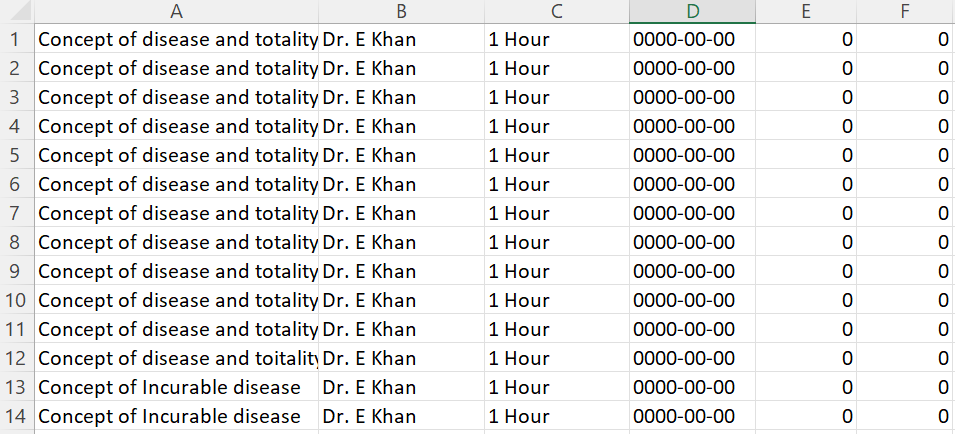
Step: 1 First make this exel file like this same. [Default, Column D = Date (format should be date format, value should 0000-00-00), Column E = Signatute & Date (value must be 0), Column F = Remarks (value must be 0)
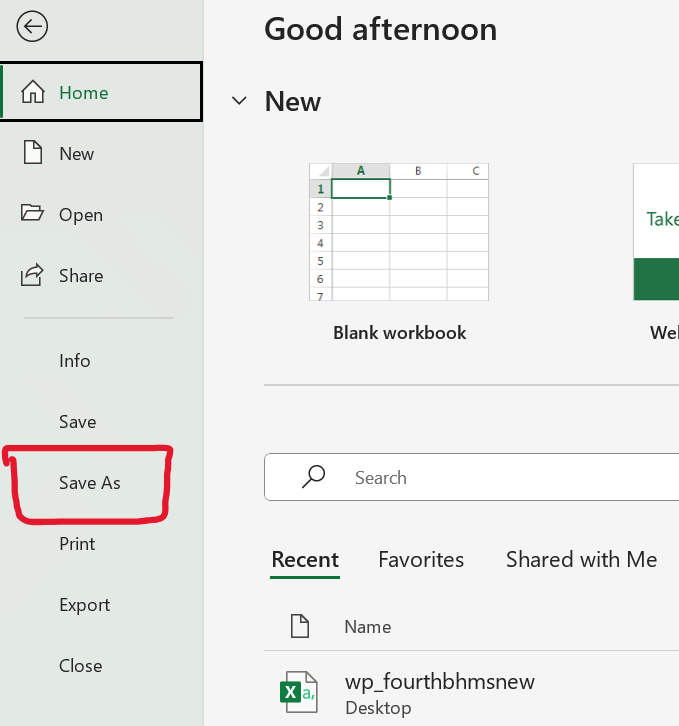
Step: 2 After that click on “File” option left corner.
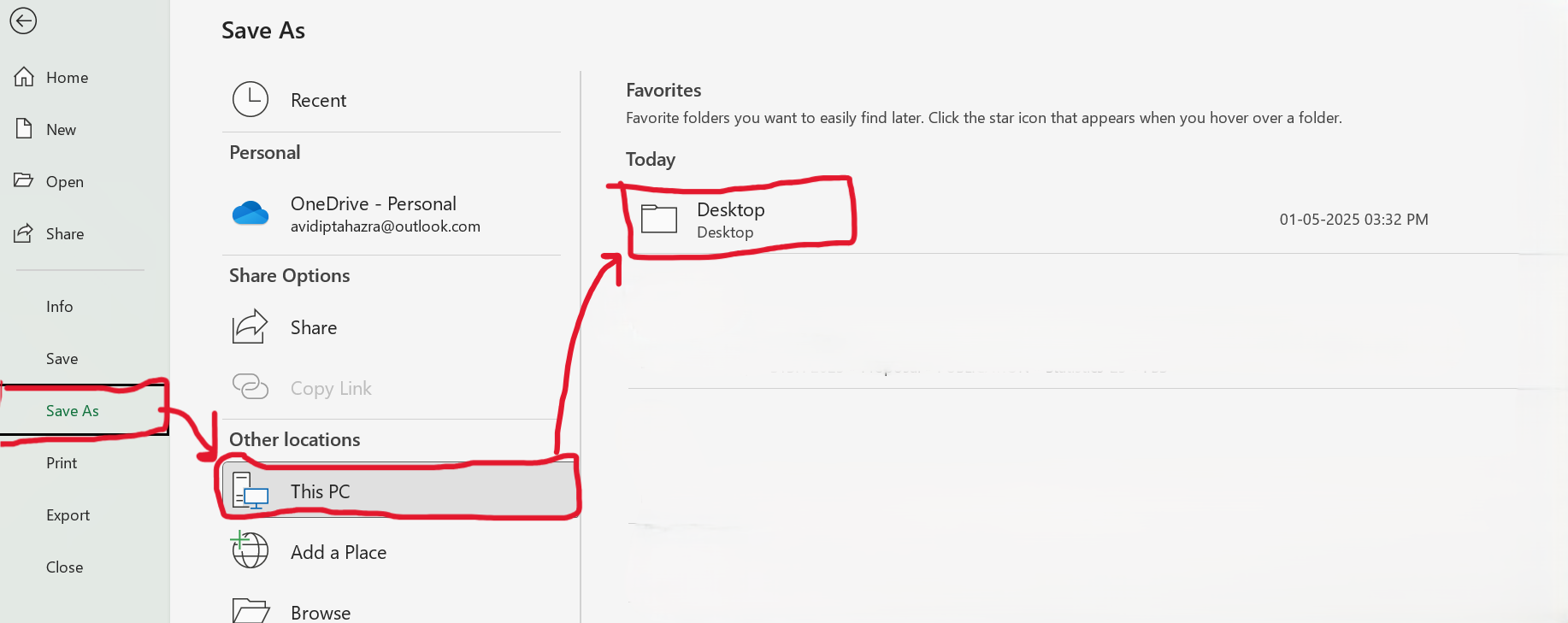
Step: 3 Now click on “Save As” option
Step: 4 Now click to that where you want to save this file like. “Desktop”
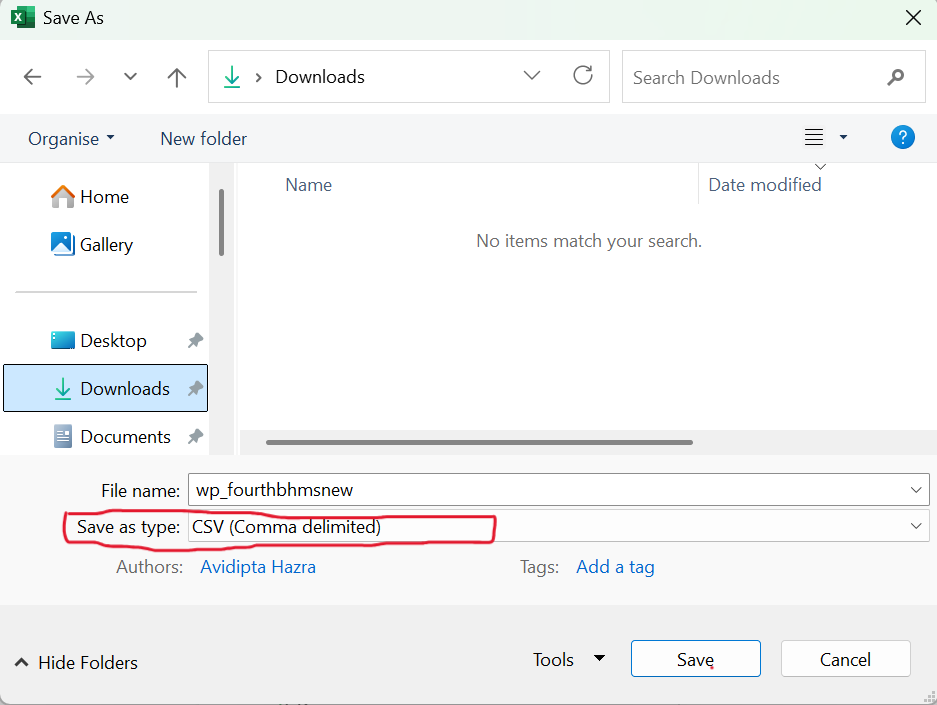
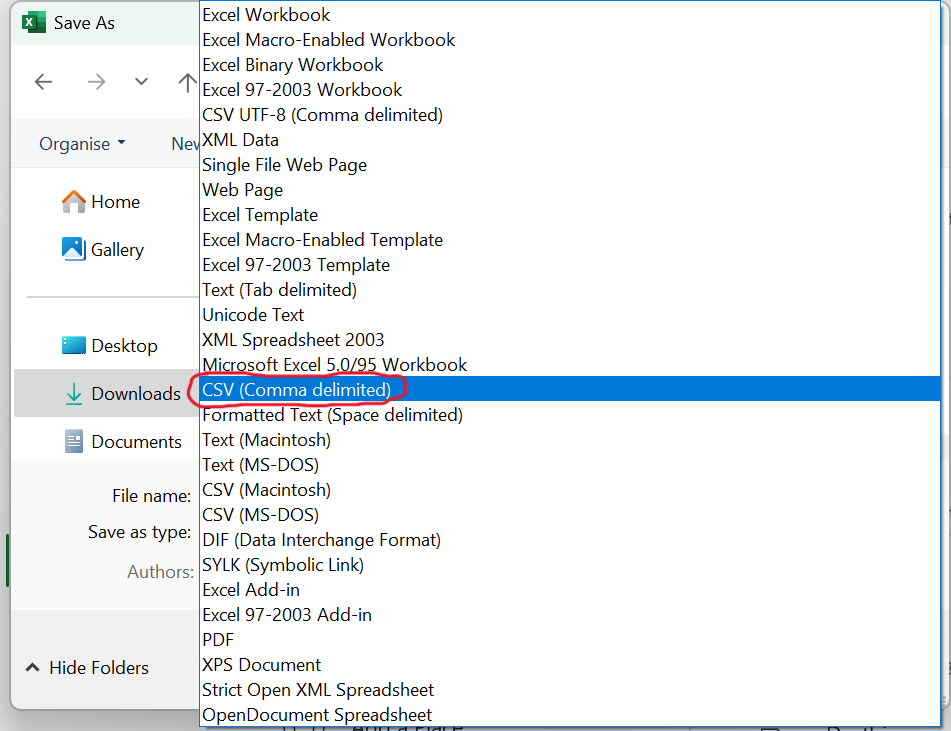
Step: 5 Now click into “Save as type”
Step: 6 Now choose “CSV (Comma delimited)” & save file for upload.